

Are you not prepared for your proctored exam? Do you want to cheat on Honorlock in your online exam? Then you should hire the services of AI exam helper like Daniel, who can warn you about phone detection, eye tracking, and the use of your webcam by Honorlock. He can help you by giving you the best cheating hacks.
Inside HonorLock’s phone detection Toolkit
Main Components and Features
As you know, using a phone during exams is the most common cheating strategy that most students try to use for external help. Therefore, Honorlock uses smart multi-layered phone detection strategies to catch students.
However, Daniel knows all of HonorLock’s hidden or obvious strategies to detect phones, and that’s why he can perfectly handle any related issues during bypassing HonorLock exams. So don’t worry about detection, and contact Daniel at AI ExamHelper for full-time assistance with a certain outcome.
So here is a clear description of “How does Honorlock detect phones?” In all these technologies, Honorlock uses AI to detect suspicious behavior, and following this, live proctors validate the issues and take action.
Free Price Calculator
Get to know about Daniel:
- For smooth communication I use WhatsApp; Contact me on WhatsApp
- Each Client has a separate WhatsApp group
- Watch videos of me taking real exams: Quora Space
- How my most popular WhatsApp method works: Daniel WhatsApp Method
- I am Ranked #1 tutor on YouTube, Check out my YouTube Channel
- I keep my Clients info highly confidential by encrypting your name to a 4-digit code
- Get discounts on your next orders by suggesting me to your friends
Multi-device detection: HonorLock’s innovative way to track exam content searches
This is one of the strongest features of Honorlock, which detects phone usage depending on your search content. To put it simply, Honorlock creates a unique and specific watermark for every question and propagates it in seed site domains (designed to rank in search engines like Google).
In this way, Honorlock correlates the search time and students’ ID information with the searches that appear on the honeypot sites.
Daniel’s strategic approach: Daniel has years of experience handling Honorlock’s multi-device detection system, and he never fails. He uses smart strategies to not trigger suspicions by not letting the students search for questions. Instead, he remotely takes full control and gives answers without the need for searching. His hidden, undetectable software handles everything without raising flags.
Detecting Apple Devices Through Handoff Signals: An HonorLock Exclusive
To detect the use of Apple devices near the testing environment, Honorlock uses Apple’s Handoff feature. With this feature, he can detect through signals that there is an active Apple device near the student.
Moreover, AI doesn’t flag it right away. Instead, AI alerts the live proctor, and he analyzes students’ behavior, and if any suspicious behavior is detected after spotting an Apple device, an immediate red flag is triggered. However, the detection of devices other than Apple is a limitation and can go undetected, but don’t forget the other HonorLock technologies that can easily find the use of secondary devices.
Daniel’s strategic approach: Daniel professionally handles the situation and uses a secure system, blocking any nearby Apple devices’ signals. Plus, Daniel avoids using risky methods and instead assists you through secure channels and remote help and doesn’t rely on a visible device for help.
AI-powered behavioural and speech detection
On one side, Honorlock uses technology to directly catch the use of mobile phones, while on the other side, its AI continuously watches your behavior and uses webcam feed, audio analysis, and screen activity to raise flags.
If you want to know deeply how does Honorlock detects phones through behavioral or speech analysis, then here is what AI keeps an eye on: unusual head movements, eye movements (looking down constantly), active audio sounds in the background, mouse movements, keyboard typing sounds, screen activity, and even your answering patterns are observed.
Daniel’s strategic approach: Daniel’s hidden software efficiently handles and manipulates your behavior before it causes any suspicions and raises flags. His complete takeover of exams deals with everything. He even gives specific behavioral training to students before starting the exam on how to react during exams.
Live proctor review and human intervention
Additionally, Honorlock prioritizes live proctor review over all the AI flags. That’s why all the triggered flags undergo the analysis of experts and experienced proctors. Any suspicious behaviors or screen reflections, like screen light from a hidden device, are flagged. These proctors are trained to detect such light signs of cheating.
Daniel’s strategic approach: with the combination of a fake webcam feed, stealth channels, behavioral training sessions, and handling of Honorlock’s advanced software, Daniel ensures that the whole session passes with zero flags. Even if a flag occurs and the proctor intervenes through exam chat for explanations before raising a flag, Daniel prepares you beforehand for natural explanations and the handling procedures.
Meet Daniel, your AI exam helper, who will guide you to all the questions you are curious about. For example:
How Does Honorlock Detect Cheating?
How does Honorlock detect phones?
Does Honorlock Track Your Eyes?
Does Honorlock Use Webcam?
Daniel will give you answers to all of your queries and make you feel better by assuring you that you can do your best and get good grades as long as Daniel is by your side.

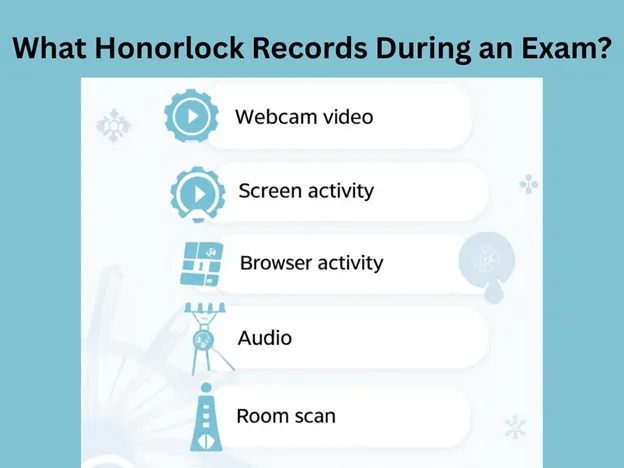
What Honorlock Records During an Exam?
Many students are curious about “Does Honorlock Record You Or Just Your Screen?”. You should be aware that Honorlock, as a proctoring software, can record both your webcam and your screen during a proctored exam.
Most of the students don’t even know about Honorlock! But, if you are the one who knows “What is Honorlock,” then you must know about its other detective features. So, here is how the Honorlock records during exams:
Webcam video
Does Honorlock use a webcam to record you? – Yes, Honorlock can capture you and your surrounding area to monitor for unauthorized materials or individuals by using your webcam.
Screen activity
Honorlock can monitor actions on your computer screen throughout the exam.
Browser activity
If you are thinking about “how does Honorlock detect phones”, then keep in mind that Honorlock can also make checks on the websites you visit on your phone during the exam session.
Audio
Any background voice can be monitored to detect any cheating behavior. Therefore, you must have to sit in a quiet place, where you can be safe from cheating doubts due to strange voices!
Room scan
Most students ask, “How does Honorlock detect phones?” Honorlock demands access to the 360-degree view of your testing area to ensure compliance with exam protocols. Due to this feature, Honorlock easily detects phones or any other device that can be used for cheating.
How Does Honorlock Detect Cheating?
Honorlock uses your webcam, microphone, and screen recording to look for odd behaviors like looking away or hearing sounds that could be signs of cheating. Honorlock can flag you for any such activity.
Step-by-step procedure
Honorlock uses your webcam, microphone, and screen recording to look for odd behaviors like looking away or hearing sounds that could be signs of cheating. Honorlock can flag you for any such activity.
- At first, Honorlock, during a thorough full-room scan, identifies secondary devices and any cheating devices near students.
- Then, when the exam starts, all your webcam feed, audio, or screen is recorded and analyzed by AI and live proctors.
- Afterwards, ongoing monitoring ensures that there is no unusual sound and behavior detected, and if detected, it is immediately flagged.
- Likewise, all the honorlocks’ advanced technology for phone detection, like multi-device detection and iPhones’ handoff technology, continues during the exam to detect phones.
- AI creates a flagged list containing timings and reasons, and then alerts the live proctor for further analysis.
- If the proctor seems to need an explanation of specific behavior, he intervenes during the exam via chat box or voice chat and warns you.
- That’s how Honorlock’s proctoring works and detects secondary devices like phones, tablets, and computers. After the session ends, the whole recording is sent to the proctor and analyzed.
Daniel will guide you about “What does HonorLock flag?” If AI catches strange behavior, your browser will be locked, so you can’t Google solutions. In case something strange happens, it will be looked over by a real person later.
How Does Honorlock Detect Phones? Pinpoints to Know!
- Honorlock mostly detects phones by monitoring the audio and video during the test. The webcam and microphone may pick up sounds or move from your phone if it makes noise, like when you type or ring it or if you look at it a lot. Honorlock flags strange actions, like quickly looking away from the screen, which could mean you’re looking at your phone. So, those who are curious to know “Does Honorlock track your eyes?” must remember that Honorlock can detect all your odd behaviors.
- Honorlock not only monitors sound and video, but it also uses device detection technology to look for nearby devices that could be online. Honorlock flags you if a phone or other device connects to the network during the test.
Can Honorlock Detect Phones Not On Wifi?
Honorlock can detect phones even if they are not connected to the Wi-Fi network. Honorlock detects phones not on Wi-Fi through audio and video monitoring. It also notices suspicious behavioral movements to flag suspicious actions that may indicate phone use.
Does Honorlock Track Your Eyes?
Honorlock tracks your eye movements by monitoring your webcam. If you frequently look away from the screen or at unusual angles, it can flag this behavior as suspicious. That is why students who are preparing for their online proctored exam and want to know, “Does Honorlock track your eyes?” must contact Daniel for guidance.
Daniel, as an expert advisor, will guide you to understand that this is often done to check if you’re trying to read answers from a hidden source, like a phone or notes. However, any advanced eye-tracking technology is not used by Honorlock. It primarily observes general gaze patterns through the camera.
Does Honorlock Use Webcam?
- Honorlock uses your webcam during online proctored exams to monitor your behavior and verify your identity. Honorlock makes sure that you’re not using unauthorized resources. It records both video and audio, which captures your screen activity and scans your room before the exam.
- The webcam helps to check any suspicious movements or gestures, like looking away from the screen often. In case of suspicious behavior, Honorlock flags you, which can risk your career.
How Does Honorlock Detect Secondary Devices?
Honorlock is an online proctoring service used by schools and universities to monitor students during remote exams. Many students who have not prepared for exams and have cheating intentions often ask, “How does Honorlock detect phones?” Honorlock detects secondary devices and phones by monitoring audio and video for sounds or movements that can make you suspicious that you are using a phone or any other digital device.
Honorlock also uses behavioral patterns to flag suspicious actions, such as repeatedly glancing off-screen. Additionally, Honorlock can detect if a secondary device is connected to the network or interacting with the system. Daniel’s guidance can help you to overcome these cheating difficulties with his expert guidance.
Students Experience with Honorlock Working
Most students have mixed feelings and experiences about Honorlock:
Privacy Concerns:
Some students are worried about recording their room, screen, and even personal conversations by accident or due to Honorlock featuring issues. At the same time, some students are worried about what all Honorlock can detect on their laptops during exams.
Stress and Anxiety:
“How does Honorlock detect phones?”This question can make students more nervous when they are preparing for their exams. When students know that Honorlock is constantly watching them, then this can hurt their performance.
Technical Issues:
Sometimes, software glitches like freezing up or poor internet connections can create problems for them during a timed exam. Some students feel uncomfortable by asking, “Does Honorlock flag eye movement? They show worried behaviour about this because their small mistake can affect their scores.
Fairness Debates:
Some students feel that Honorlock doesn’t always fairly detect cheating and wrongly accuses honest students of cheating. But a few students also appreciate Honorlock because it allows them to take exams from home instead of traveling to campus.
Conclusion
Some students who are not prepared for their exam want to know, “How does Honorlock detect phones?” Honorlock serves as an online proctoring tool that uses a student webcam, microphone, and screen recording to keep an eye on students during remote tests and catch them if they do anything unethical. Daniel is the only person who can guide you to pass with the best scores when you are not ready for your exam.
Honorlock is safe and easy for students to take tests from home. Some students have different feelings about their privacy and technical problems which may happen anytime. That’s why they get confused. “Is Honorlock safe to use?” regarding their privacy. Even with these worries, Honorlock follows privacy rules and is usually thought to be safe.
FAQs:
Does HonorLock scan or monitor my WiFi network and other devices?
No, Honorlock does not scan your network activity or monitor other devices. It can only detect them if you try to search for a question and fall into an Honorlock trap. If there are no searches that occur, HonorLock cannot detect them, and that’s what Daniel uses to enhance its efficiency.
Does Honorlock detect ChatGPT?
Yes, with HonorLock’s strong lockdown browser activity, it locks your computer, making it unable to open any additional applications or tabs to access instant resources. ChatGPT and all other AI tools are being blocked by its browser.
Can Honorlock detect phones with VPNs?
Yes, as HonorLock doesn’t track your network activity, so enabling VPNs doesn’t really matter. It uses a smart behavioral AI detection system that doesn’t lose a single detail and creates a high-accuracy report for proctor inspection.
Is Honorlock Safe? Can I Trust Honorlock?
Honorlock is a safe online proctored exam service and follows privacy rules to protect your data. If you are still thinking, “Is Honorlock safe”? You can trust Honorlock because it only shares recordings if something suspicious is flagged.
However, some students don’t feel relaxed using Honorlock because it monitors both video and audio during exams.